Tutorial
Assemble a small genome from reads
Put a phage genome back together from short reads with fermi-lite, without a reference, then check the result against the known genome with minimap2. All in your browser.
What you will learn
- Assemble reads into contigs without a reference
- Compare a contig with a reference genome in PAF format
- Read identity and coverage from a PAF line
- Find differences between an assembly and a reference
The data
1,500 simulated reads of 150 bp (about 42× coverage, 0.2% errors) from bacteriophage PhiX174, and its reference genome (NC_001422.1) for the check. Because the reads come from the reference, you know what the assembly should be.
Tools in this tutorial
- fermi-lite
- Assembles short reads into longer contiguous sequences (contigs) without a reference. Meant for small genomes and regions.
- minimap2
- Aligns DNA sequences, from short reads to whole genomes, against a reference. It writes SAM for downstream tools or PAF, a plain table of where each sequence matches.
Watch it first
The whole tutorial in under 2 minutes, recorded in the live app. The run is sped up.
Steps
- 01
Load the reads
Open the Workflow Builder at biochef.app. In File manager, upload
phix-reads.fastqandphix174.fasta, and tickphix-reads.fastqfor the Input node. New to the editor? The map reads tutorial shows each move with screenshots. - 02
Assemble
Search
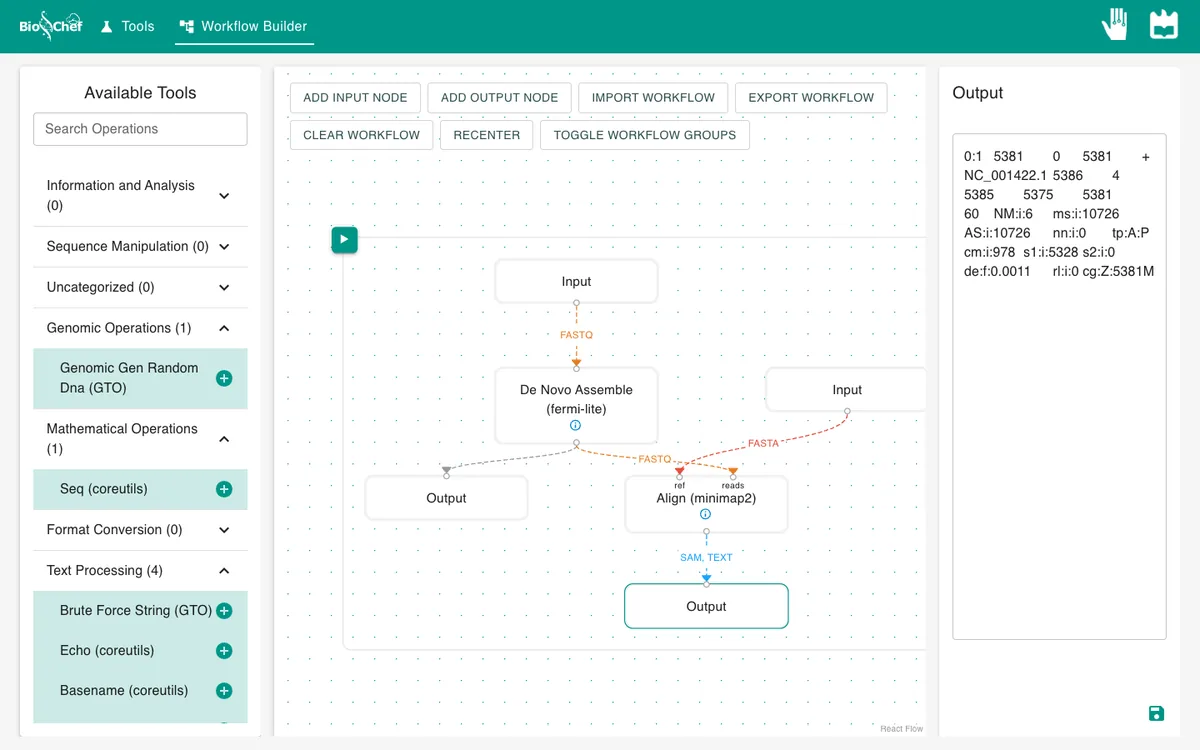
fermiand add De Novo Assemble (fermi-lite); connect the reads to it and add an Output. fermi-lite uses only the reads: no reference is involved in this step.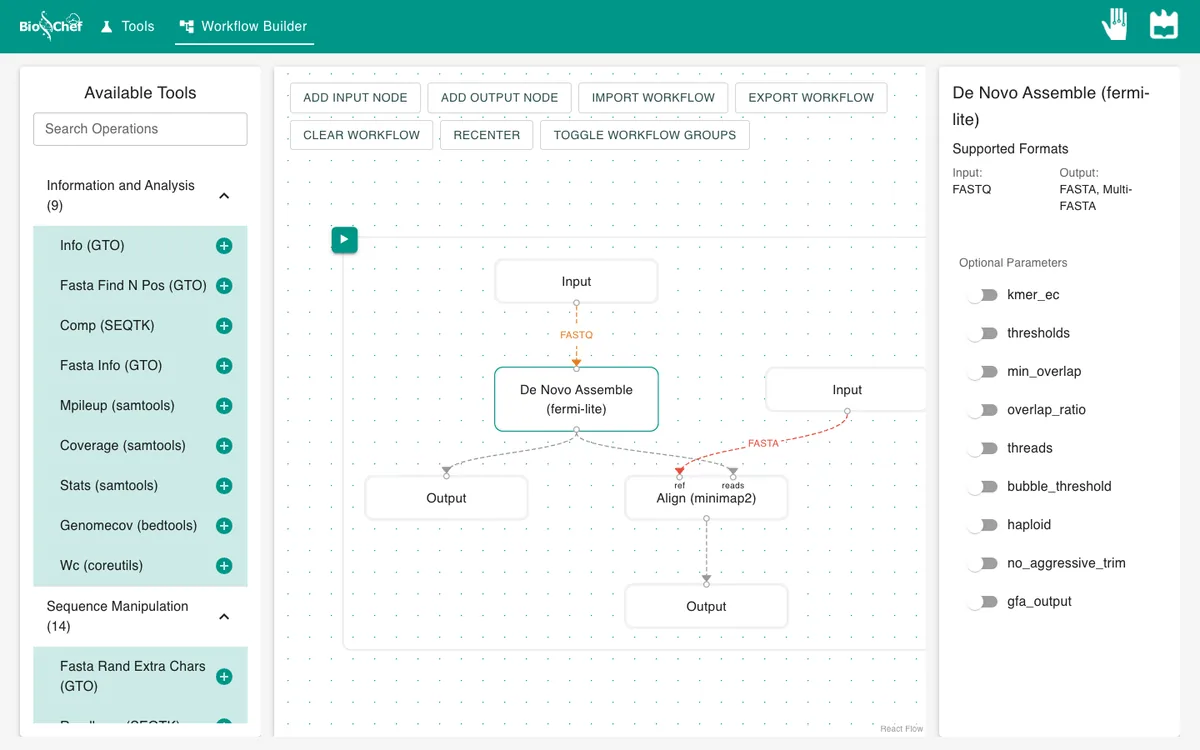
- 03
Compare the assembly with the reference
Select fermi-lite and add Align (minimap2): assembly into reads, a second Input with
phix174.fastainto ref. Leave sam_output off, so minimap2 writes PAF, a table, and add an Output.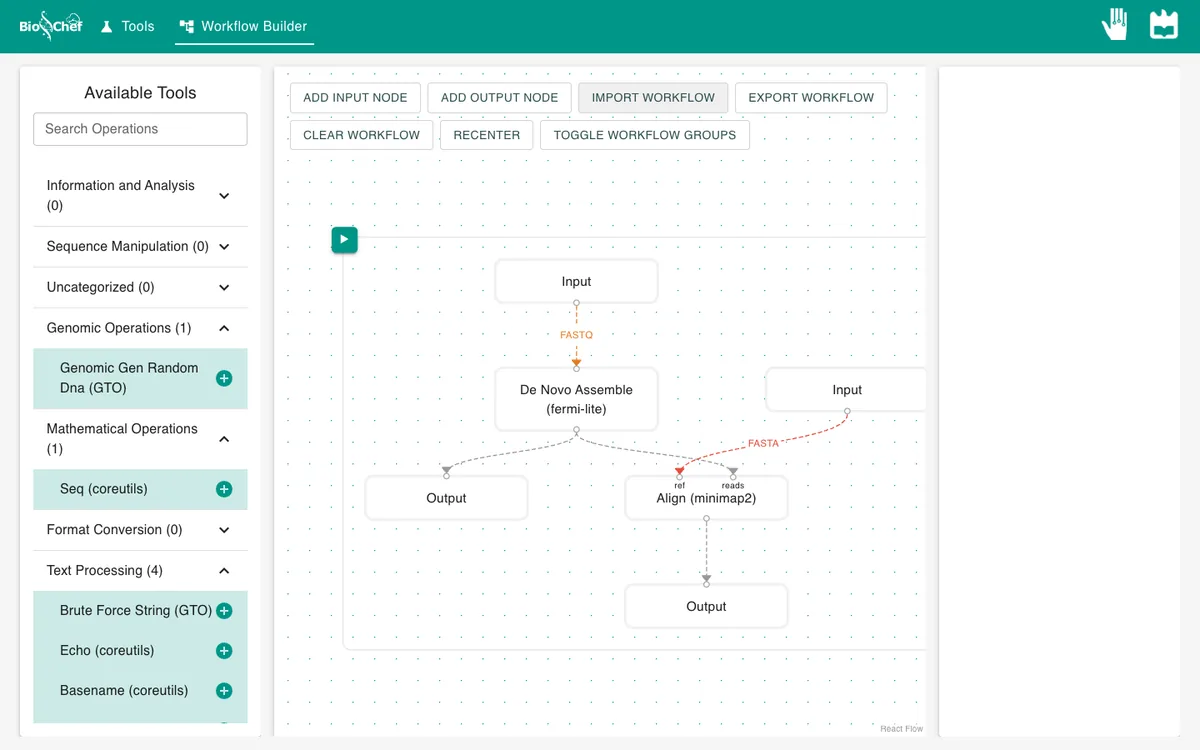
- 04
Run and look at the contig
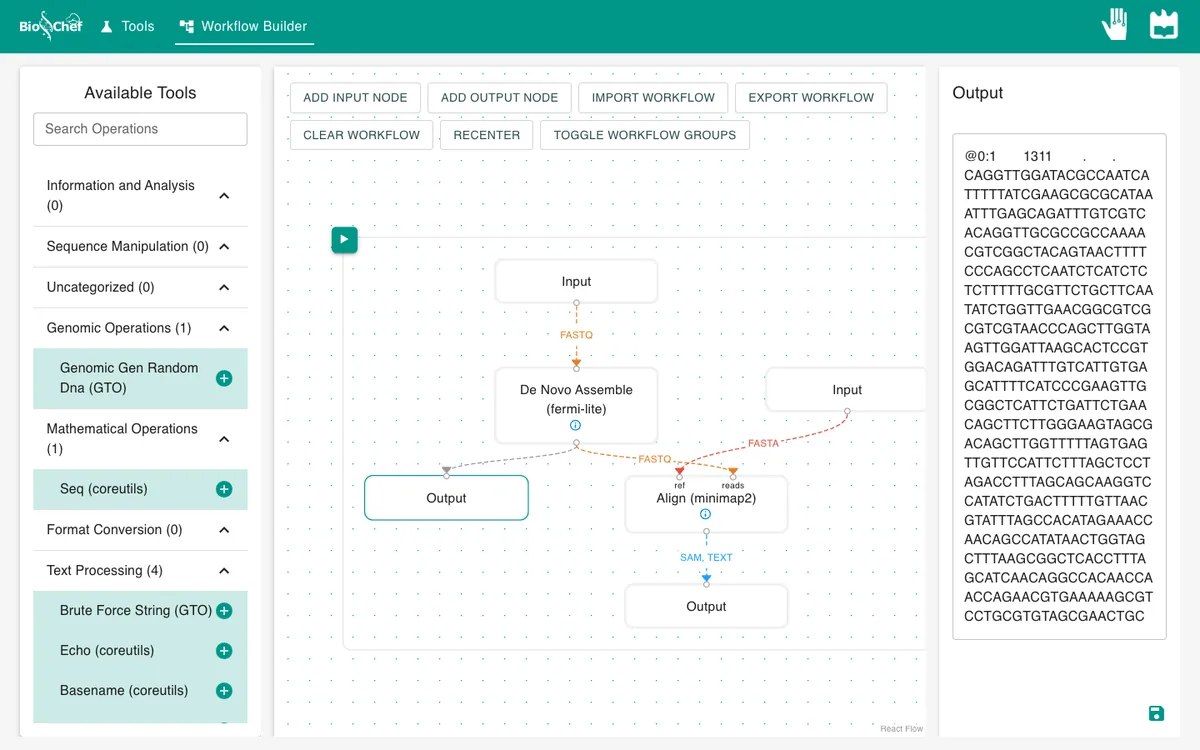
Press ▶ and click the first Output. fermi-lite writes contigs in FASTQ form: a name line, the sequence, then a line of characters that encode read coverage instead of base quality. The app notes that this output is FASTQ rather than the FASTA it expected; minimap2 reads it either way.
- 05
Read the comparison
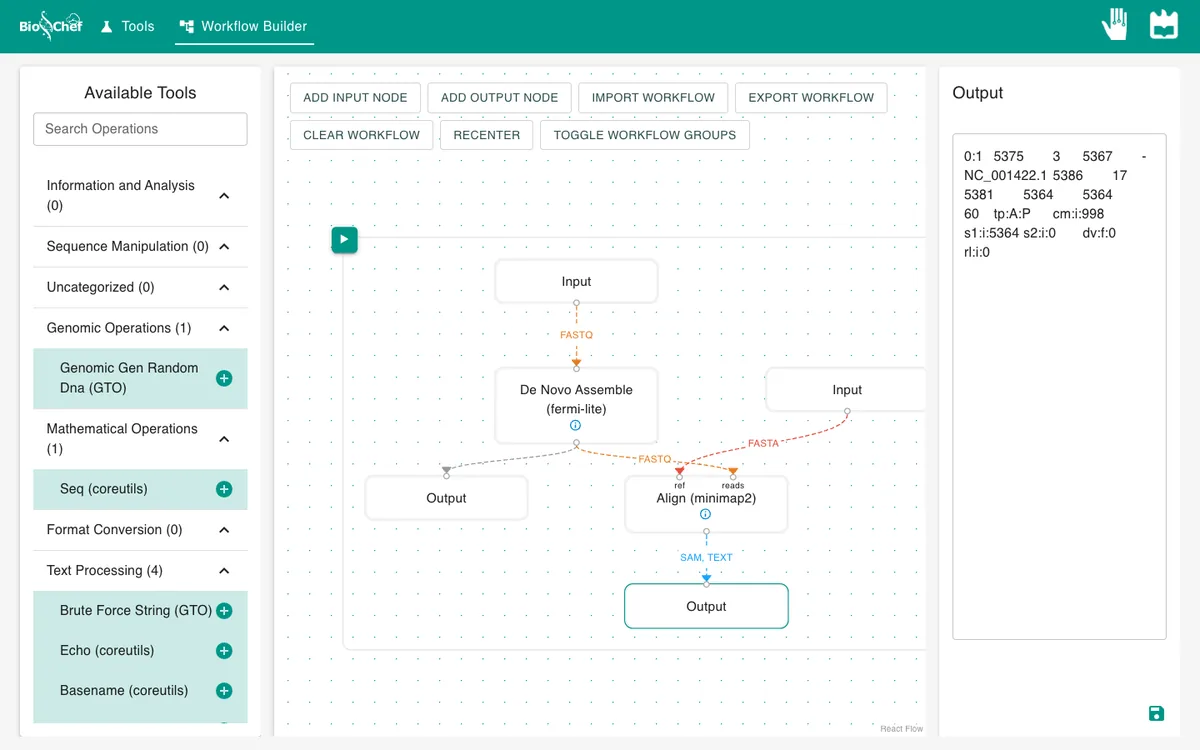
Click the second Output. A PAF line gives the contig name and length, where it starts and ends, the strand, the reference name and length, where it lands on the reference, then the number of matching bases and the alignment length.
What you should see
0:1 5375 3 5367 - NC_001422.1 5386 17 5381 5364 5364 60
The reads assemble into one contig of 5,375 bp, almost the whole 5,386 bp genome. It aligns to the reference from position 18 to 5381 (PAF counts from 0, so the 17 means position 18), on the reverse strand (-), with 5,364 of 5,364 bases identical. The few bases missing at the ends are the ends of a circular genome read as a line: fewer reads reach them.
Use the finished workflow
Import the finished workflow, data included, and press ▶. Remember that an exported workflow contains the data loaded in its Input nodes.
Exercise: assemble a sample with mutations
In the reads Input, load sample-reads.fastq from the viral consensus tutorial instead. On the minimap2 node, switch on output_cigar so the PAF line also counts differences. Run again: one contig of 5,381 bp with NM:i:6, six differences from the reference. The sample was simulated with six mutations, and the assembly finds six differences without using the reference to build the genome.
From a test to a full run
The browser is the place to build and test a workflow on small data like this. For full datasets, the same workflow file is meant to run next to the data with the BioChef agent, which is in development. See Workflows for how the two fit together.
More tutorials: all BioChef tutorials.
This tutorial is licensed under CC BY 4.0. If you use BioChef in your work, please cite Rosa et al., BMC Bioinformatics 2026. BioChef is listed in bio.tools as biotools:biochef.