Tutorial
Map sequencing reads in your browser
Build a workflow that aligns reads to a reference with minimap2, sorts them with samtools and reports how many mapped. Everything runs in your browser; nothing is installed or uploaded.
What you will learn
- Build a workflow by connecting tools in the BioChef editor
- Align reads to a reference with minimap2
- Sort the alignments and summarise them with samtools
- Save the workflow as a file and open it again
The data
The genome of bacteriophage PhiX174 (NC_001422.1, 5,386 bp) and 400 simulated 150 bp reads: 380 copied from the genome with about 0.5% errors, and 20 random reads that should not map.
Tools in this tutorial
- minimap2
- Aligns DNA sequences, from short reads to whole genomes, against a reference. It writes SAM for downstream tools or PAF, a plain table of where each sequence matches.
- samtools
- Works with alignment files (SAM, BAM): sorts them and reports mapping statistics, coverage and per-position read counts.
Watch it first
The whole tutorial in under 2 minutes, recorded in the live app. The run is sped up.
Steps
- 01
Open the Workflow Builder
Go to biochef.app and choose Workflow Builder in the top bar. If a short tour opens, close it. The canvas starts with one Input node.
- 02
Load the two files
In the right-hand panel, open File manager and upload
phix174.fastaandreads.fastq. They are read by your browser; nothing is sent to a server.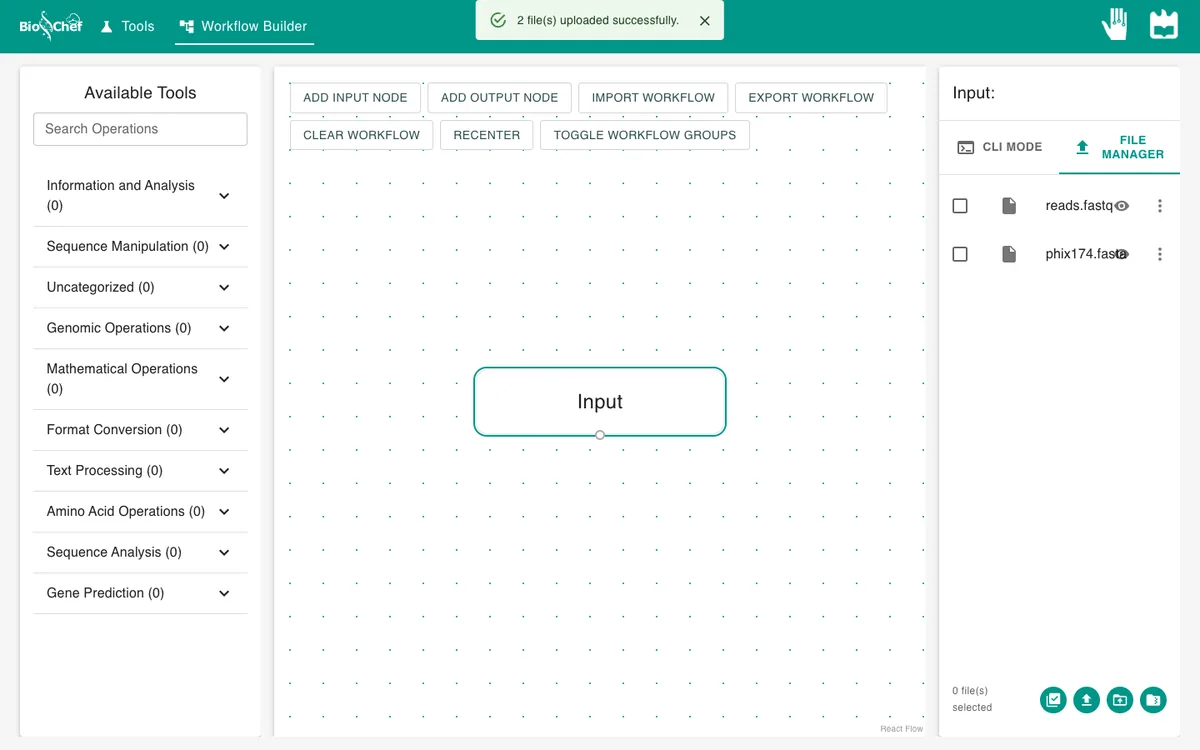
- 03
Give the reads to the Input node
With the Input node selected, tick
reads.fastq. The tool list on the left now shows only the tools that accept FASTQ.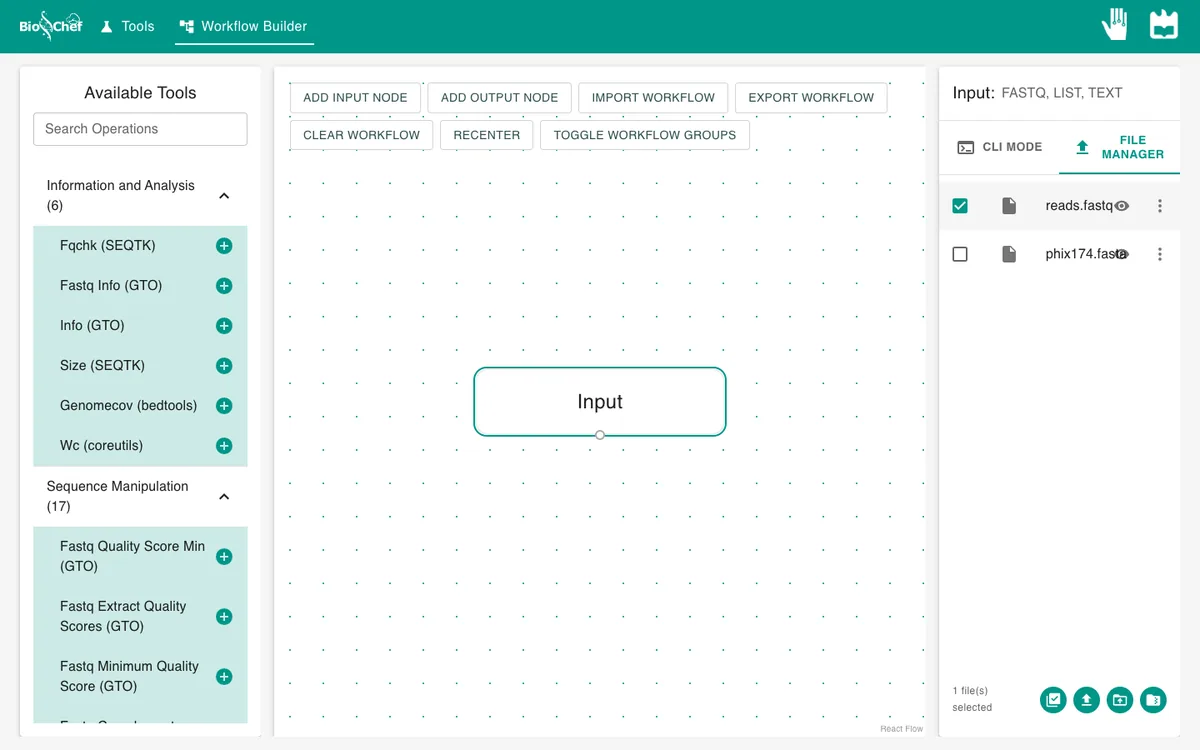
- 04
Add the aligner
Type
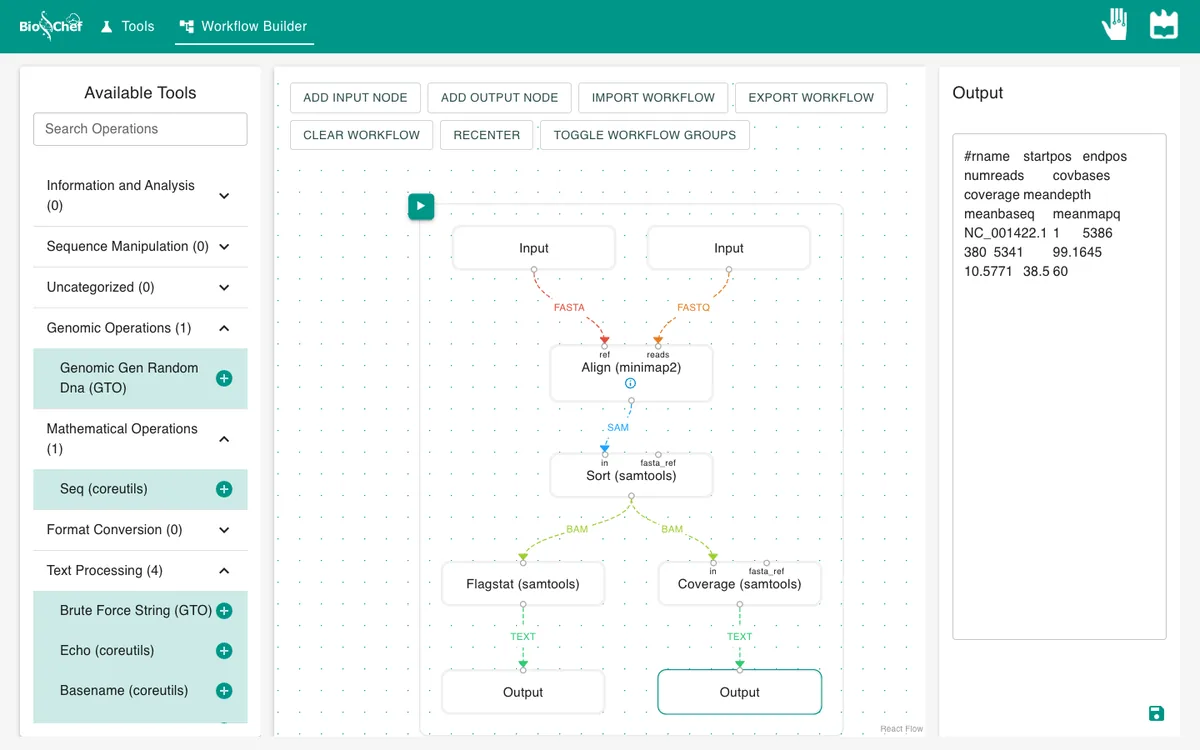
minimapin Search Operations and click Align (minimap2). A new node appears with two inputs, ref and reads. Drag from the dot under the Input node to the reads dot.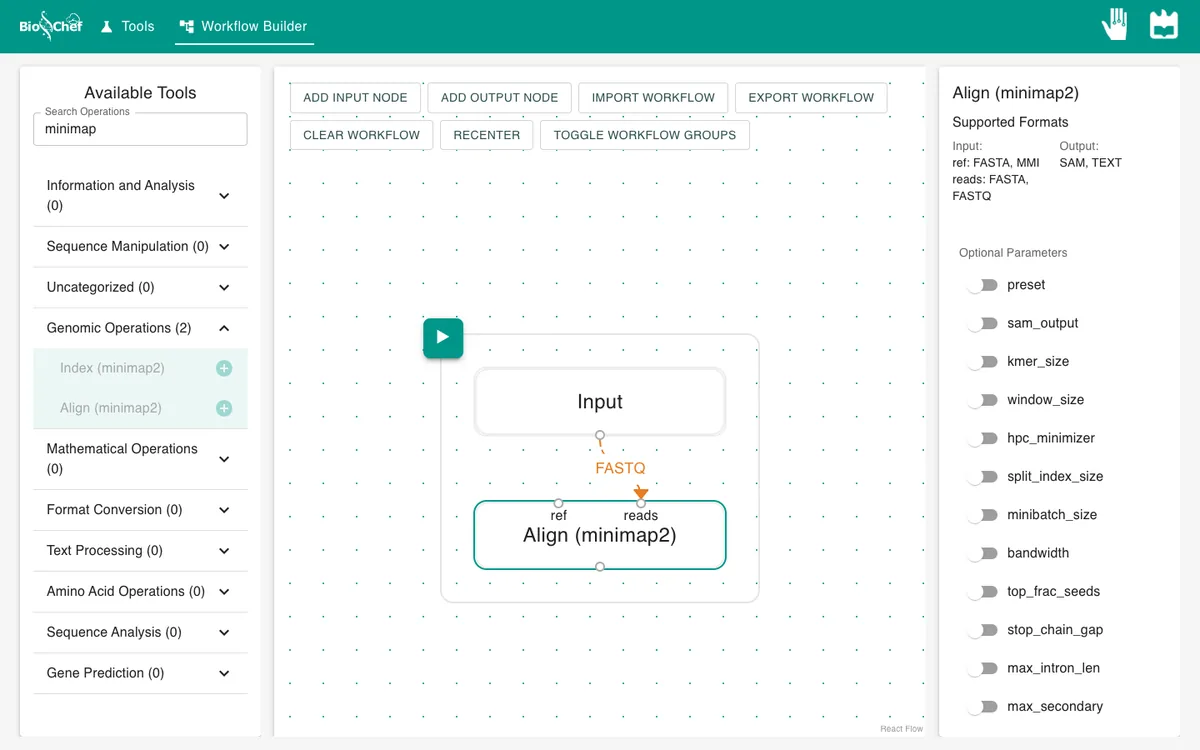
- 05
Add the reference
Click Add input node, select the new node and tick
phix174.fasta. Connect it to the ref dot. Each connection is labelled with the file type it carries: FASTA for the reference, FASTQ for the reads.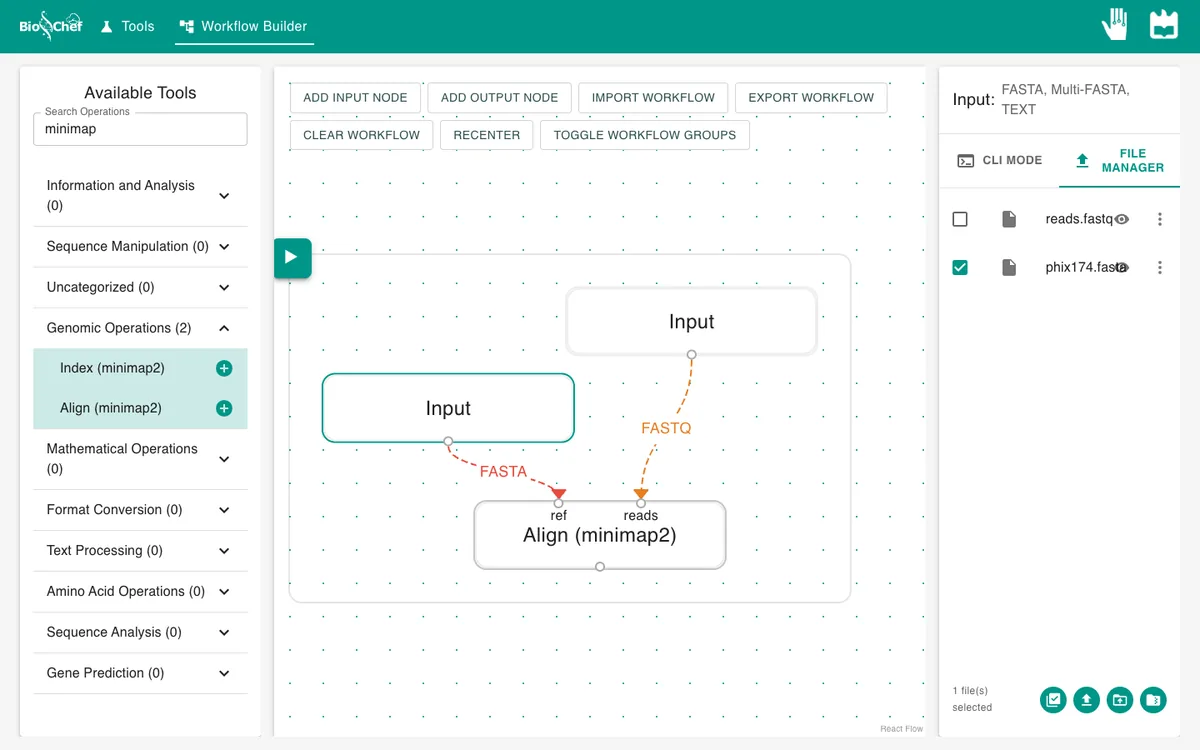
- 06
Ask minimap2 for SAM output
Click the Align node and switch on sam_output (minimap2’s
-aoption). Without it, minimap2 writes PAF text, which samtools cannot read.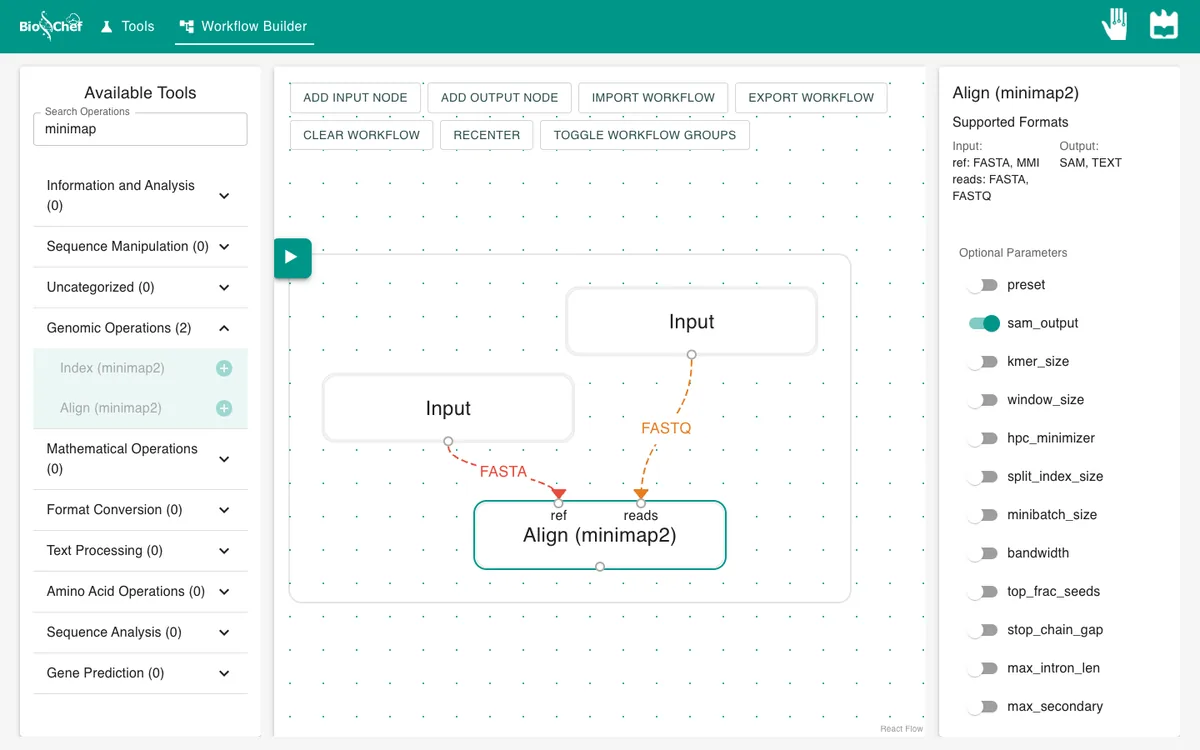
- 07
Sort and summarise the alignments
With the Align node selected, search
sortand add Sort (samtools); connect Align to its in dot. Then add Flagstat (samtools) and connect Sort to it. Finally click Add output node and connect Flagstat to the Output.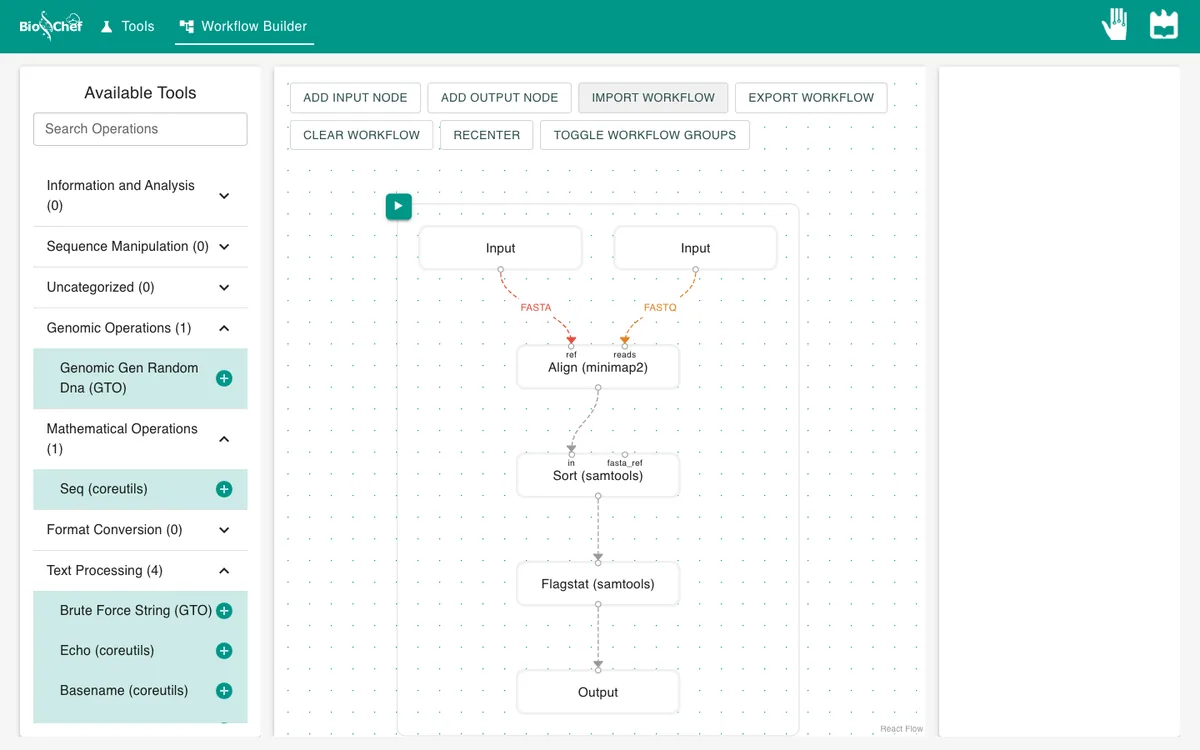
- 08
Run it and read the result
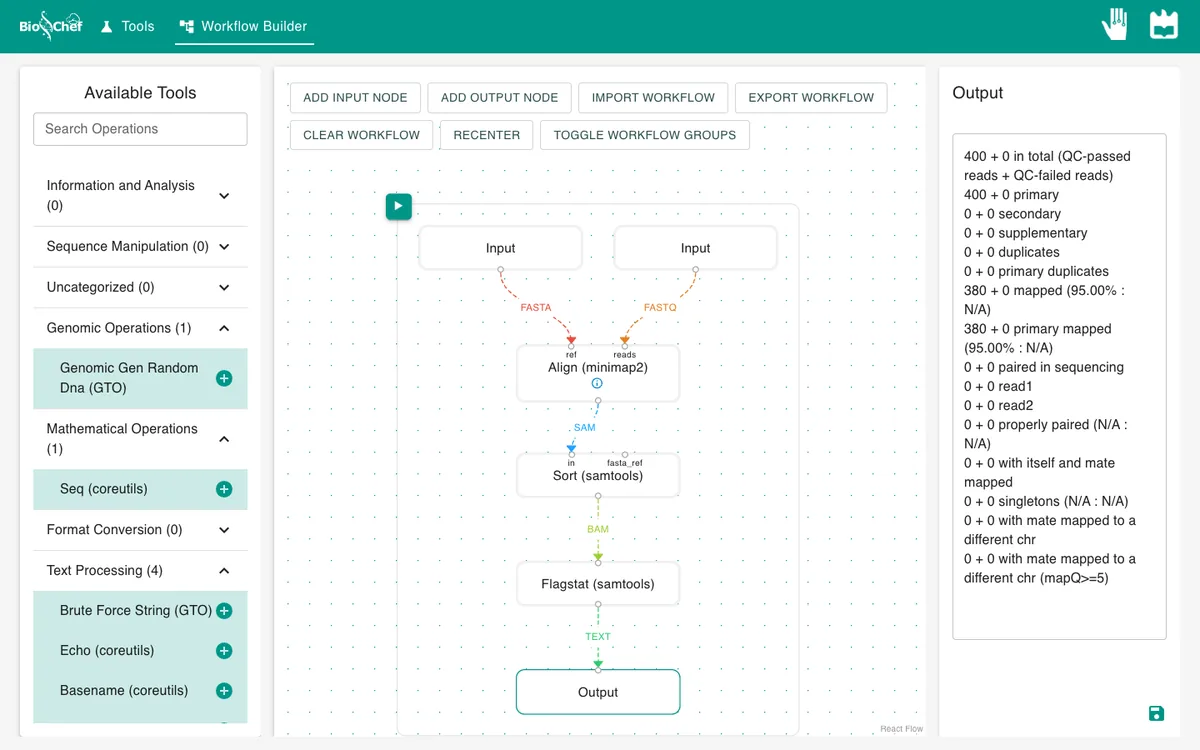
First click an empty part of the canvas so that no node is selected: with the Output node selected, the run currently stops after minimap2. Then click the green ▶ button at the top left of the workflow. It takes a few seconds. Click the Output node to see the flagstat report.
What you should see
400 + 0 in total (QC-passed reads + QC-failed reads)
...
380 + 0 mapped (95.00% : N/A)
380 of the 400 reads map: the 380 that came from PhiX174. The 20 random reads do not. If your numbers differ, check that sam_output is on and that the reference goes into ref and the reads into reads.
Look under the hood
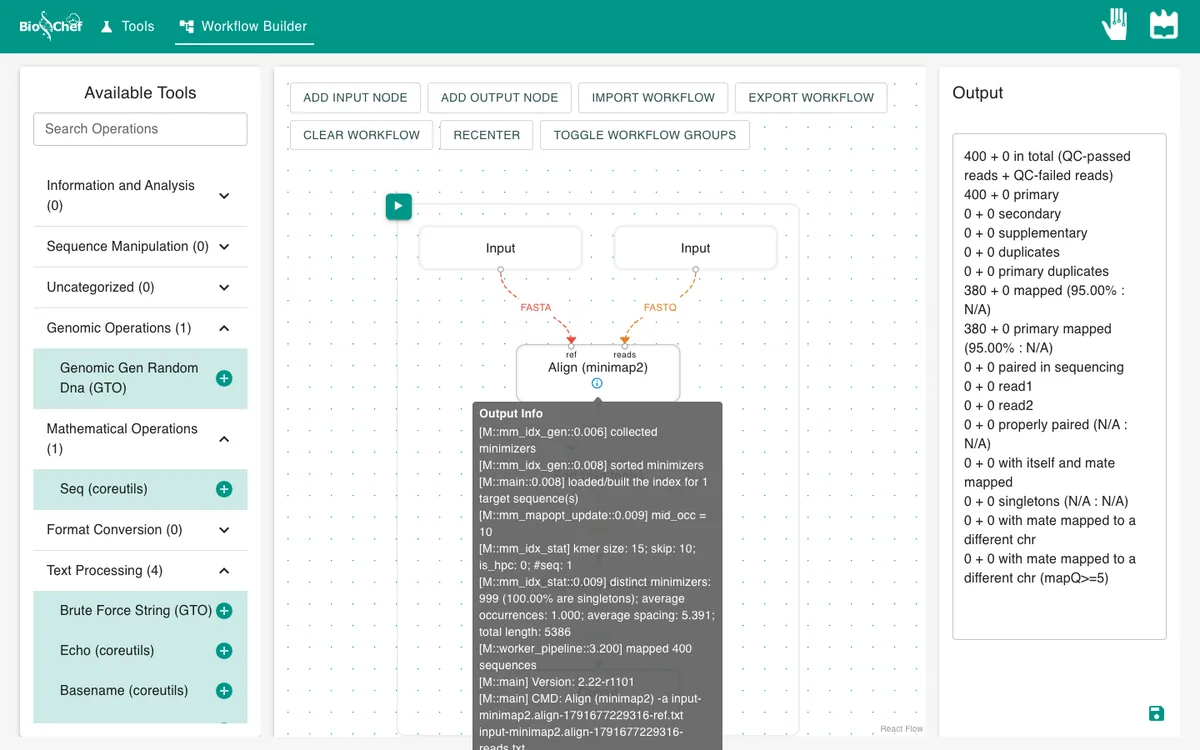
The small ⓘ on a node opens the tool’s own log. For minimap2 it shows the version (2.22-r1101), how many reads were mapped and the exact command that ran: the same tool you would run on a server, compiled to WebAssembly.
Save and share the workflow
Click Export workflow to download it as one JSON file, and Import workflow to open it again, on any computer. The file also contains the data loaded in its Input nodes, so do not share it as it is if those files are sensitive. Short on time? Import the finished workflow, data included, and press ▶.
Exercise: how much of the genome is covered?
Select the Sort node and add Coverage (samtools). Connect Sort to it, add a second Output node and run again. You should get one line for NC_001422.1 with 380 reads, 99.16% of the genome covered and a mean depth of about 10.6.
From a test to a full run
The browser is the place to build and test a workflow on small data like this. For full datasets, the same workflow file is meant to run next to the data with the BioChef agent, which is in development. See Workflows for how the two fit together.
More tutorials: all BioChef tutorials.
This tutorial is licensed under CC BY 4.0. If you use BioChef in your work, please cite Rosa et al., BMC Bioinformatics 2026. BioChef is listed in bio.tools as biotools:biochef.