Tutorial
Build a species tree from gene trees
Different genes can tell different stories about how species are related. Combine 15 gene trees into one species tree with ASTRAL. All in your browser.
What you will learn
- Understand why gene trees can disagree
- Combine many gene trees into one species tree with ASTRAL
- Read an unrooted tree and its support values
- See how the result depends on the gene trees you give it
The data
gene-trees.txt: 15 gene trees for five primates, written for this tutorial (they are not inferred from real genes). Nine follow the species tree, with human and chimpanzee closest; five pair gorilla with human or with chimpanzee instead; one groups gorilla with orangutan. Genes can disagree like this in real data too, for example through incomplete lineage sorting.
Tools in this tutorial
- ASTRAL (ASTER)
- Combines many gene trees into one species tree, coping with genes whose histories disagree. Support values are local posterior probabilities.
Watch it first
The whole tutorial in about a minute, recorded in the live app. The run is sped up.
Steps
- 01
Load the gene trees
Open the Workflow Builder at biochef.app. In File manager, upload
gene-trees.txtand tick it for the Input node. Each line is one tree in Newick format: brackets group the species that a gene says are most closely related. New to the editor? The map reads tutorial shows each move with screenshots. - 02
Add ASTRAL
Search
species treeand add Species Tree (ASTRAL); connect the Input to its gene_trees dot. Add an Output and press ▶.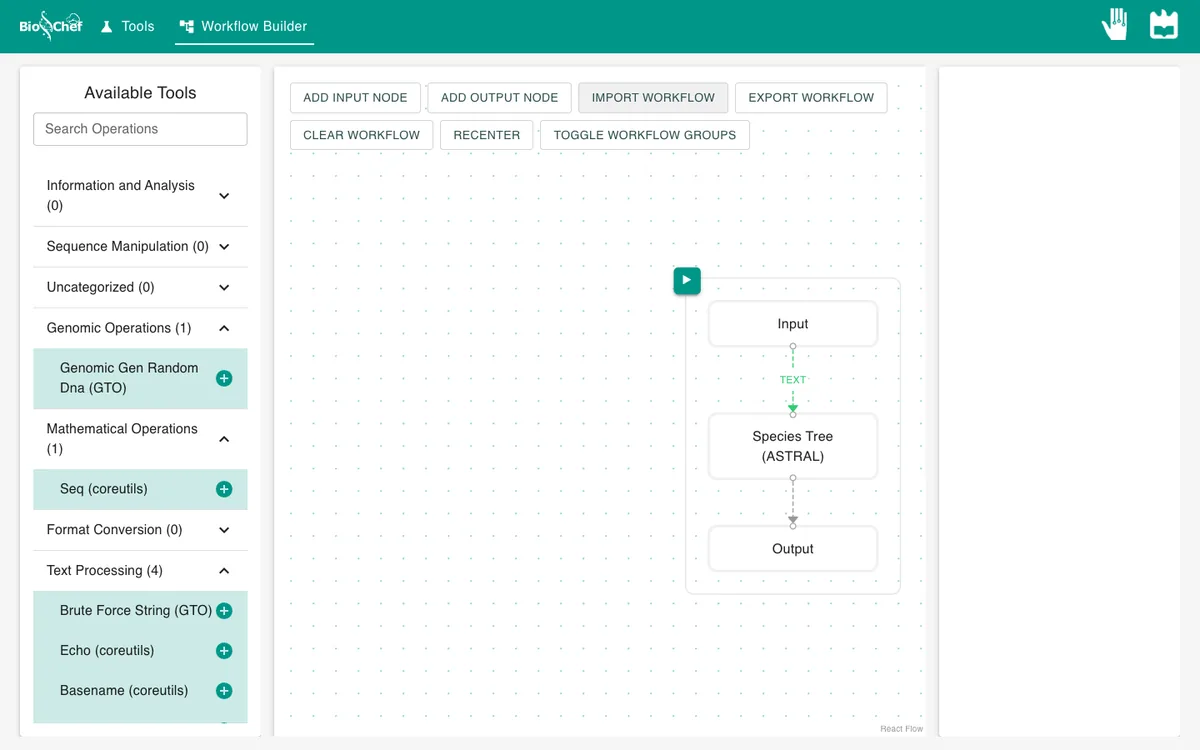
- 03
Read the species tree
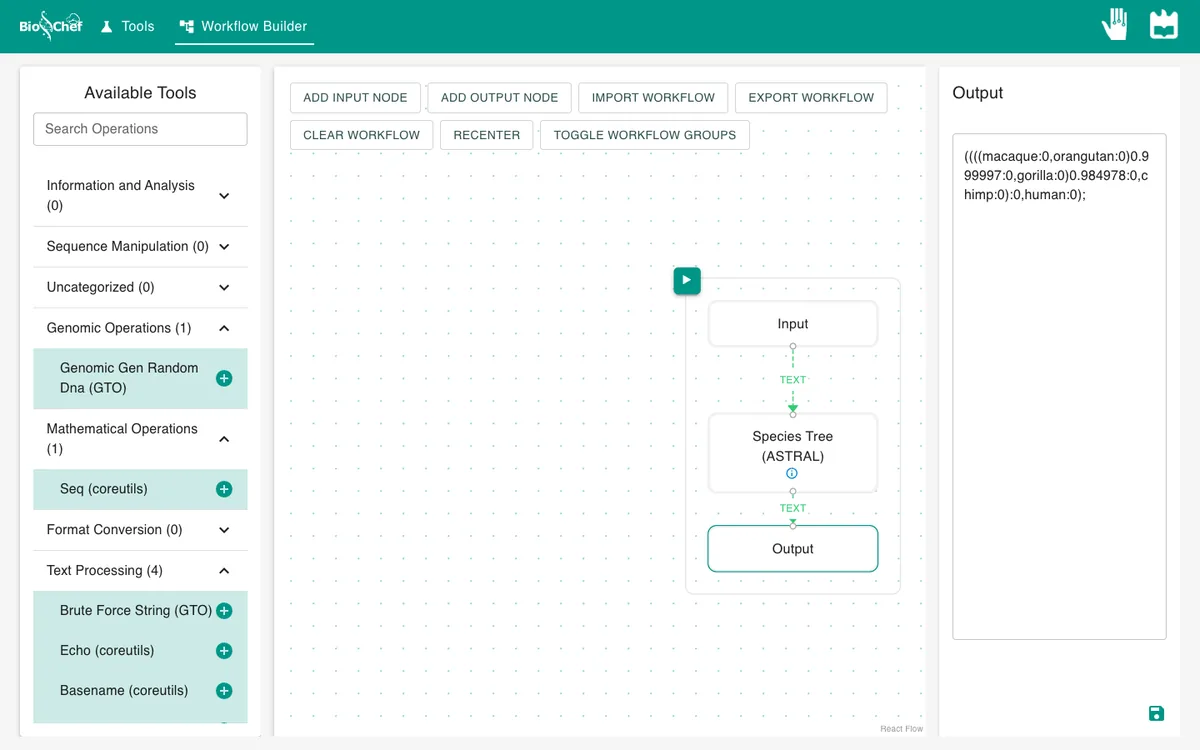
Click the Output. ASTRAL writes one tree. The numbers after a closing bracket are support values from 0 to 1: how sure ASTRAL is about that grouping, given the gene trees.
- 04
Look at the search
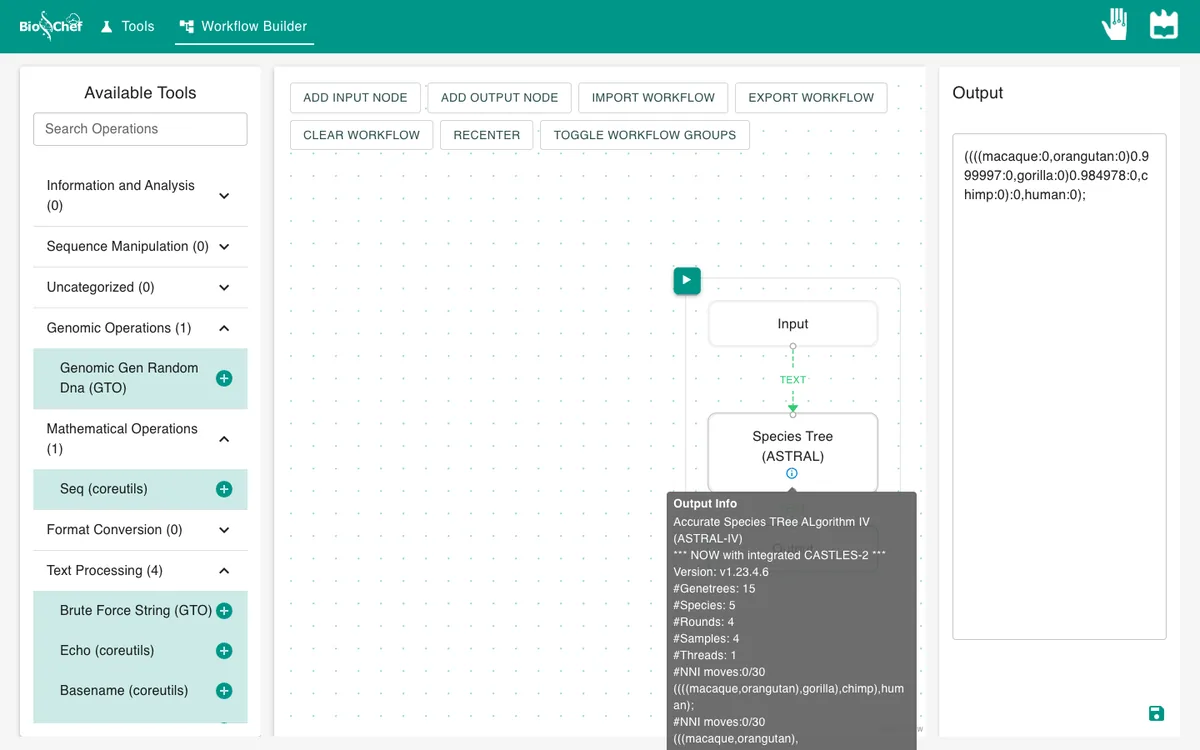
Hover the ⓘ on the ASTRAL node to see how it searched: it starts from a guess and moves branches around until no change improves its score.
What you should see
((((macaque,orangutan)0.999997,gorilla)0.984978,chimp),human);
Shortened here: branch lengths removed. The tree is unrooted, so ASTRAL can write it starting from any species, here from human. Read it as groups: human with chimpanzee, then gorilla, then orangutan and macaque. That is the tree most gene trees support, recovered with support 0.98 to 1.00, even though six of the 15 gene trees disagree with it.
Use the finished workflow
Import the finished workflow, data included, and press ▶. Remember that an exported workflow contains the data loaded in its Input nodes.
Exercise: keep only the genes that disagree
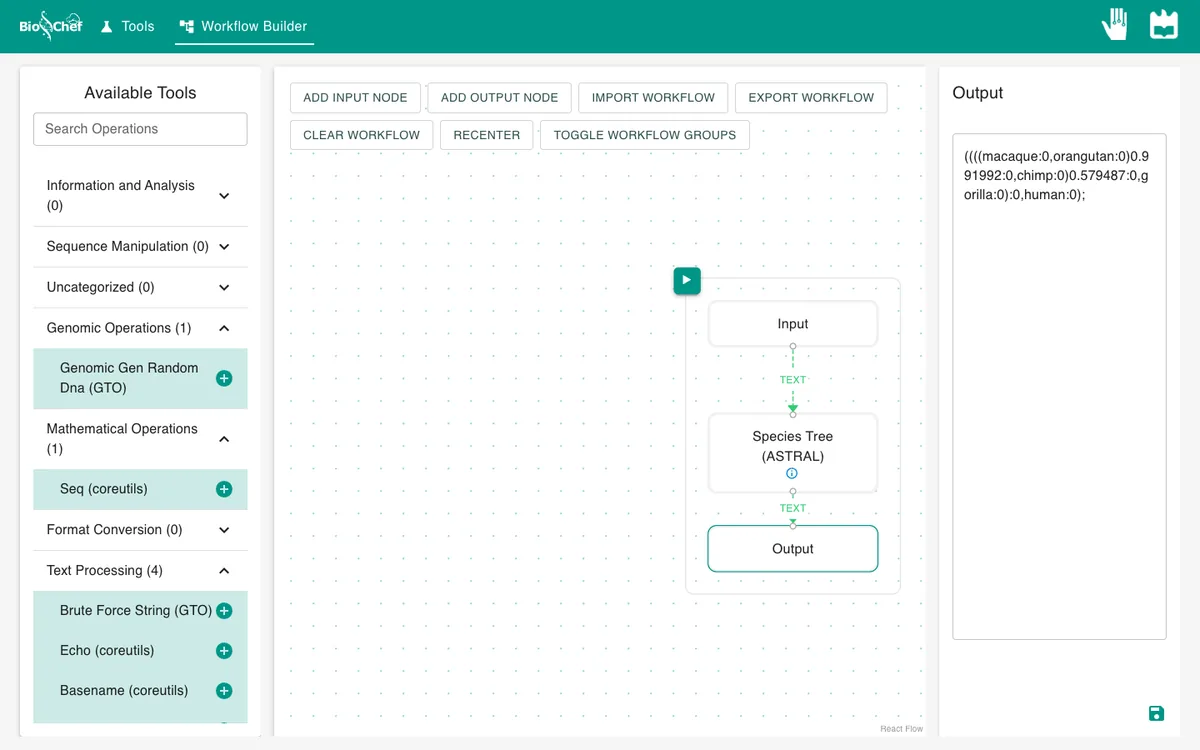
Download discordant-trees.txt, the six gene trees that disagree with the species tree. Upload it and tick it for the Input node instead of gene-trees.txt, then run again. Now ASTRAL groups human with gorilla, and the support for that grouping drops to 0.58: with less and conflicting evidence, the answer changes and becomes uncertain.
From a test to a full run
The browser is the place to build and test a workflow on small data like this. For full datasets, the same workflow file is meant to run next to the data with the BioChef agent, which is in development. See Workflows for how the two fit together.
More tutorials: all BioChef tutorials.
This tutorial is licensed under CC BY 4.0. If you use BioChef in your work, please cite Rosa et al., BMC Bioinformatics 2026. BioChef is listed in bio.tools as biotools:biochef.