Tutorial
Clean and merge paired-end reads
Quality-filter read pairs with fastp, merge the pairs that overlap into single longer reads, and count the result. All in your browser.
What you will learn
- Handle the two files of paired-end sequencing together
- Filter pairs by quality with fastp
- Merge pairs whose reads overlap
- See how fragment length decides whether a pair can merge
The data
Two files, sample_R1.fastq and sample_R2.fastq, with 300 simulated read pairs of 2 × 150 bp from bacteriophage PhiX174: 200 pairs from 250 bp fragments (their reads overlap by 50 bp), 80 pairs from 400 bp fragments (no overlap) and 20 low-quality pairs.
Tools in this tutorial
Watch it first
The whole tutorial in under 3 minutes, recorded in the live app. The run is sped up.
Steps
- 01
Load both files of the pair
Open the Workflow Builder at biochef.app. In File manager, upload
sample_R1.fastqandsample_R2.fastq, and ticksample_R1.fastqfor the Input node. Read n in R1 and read n in R2 come from the two ends of the same DNA fragment. New to the editor? The map reads tutorial shows each move with screenshots. - 02
Clean the pairs
Search
pair-endand add Pair-End QC (FASTP); connect R1 to in1. Add a second Input withsample_R2.fastqand connect it to in2. fastp checks both reads and keeps or drops each pair as a unit, so the two files stay in step. - 03
Merge overlapping pairs
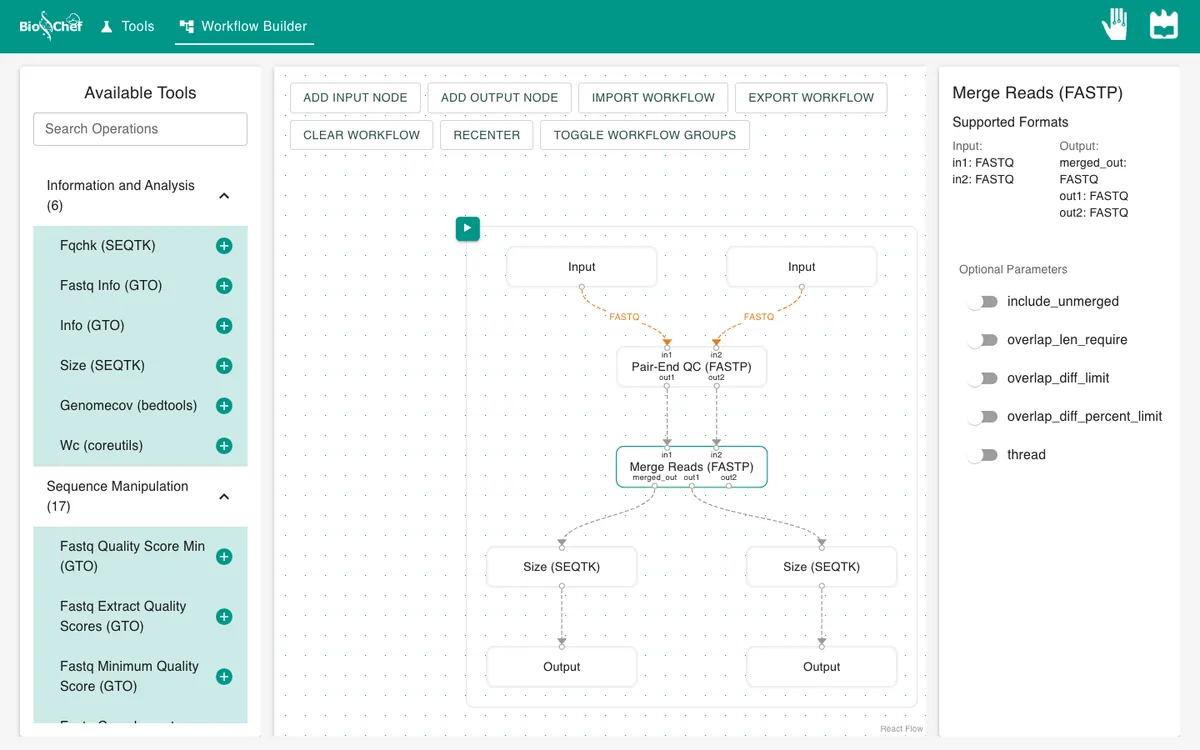
Select the QC node and add Merge Reads (FASTP). Connect out1 to in1 and out2 to in2. When a fragment is shorter than the two reads together, the reads overlap in the middle and fastp joins them into one longer read. By default it needs an overlap of at least 30 bases.
- 04
Count what you get
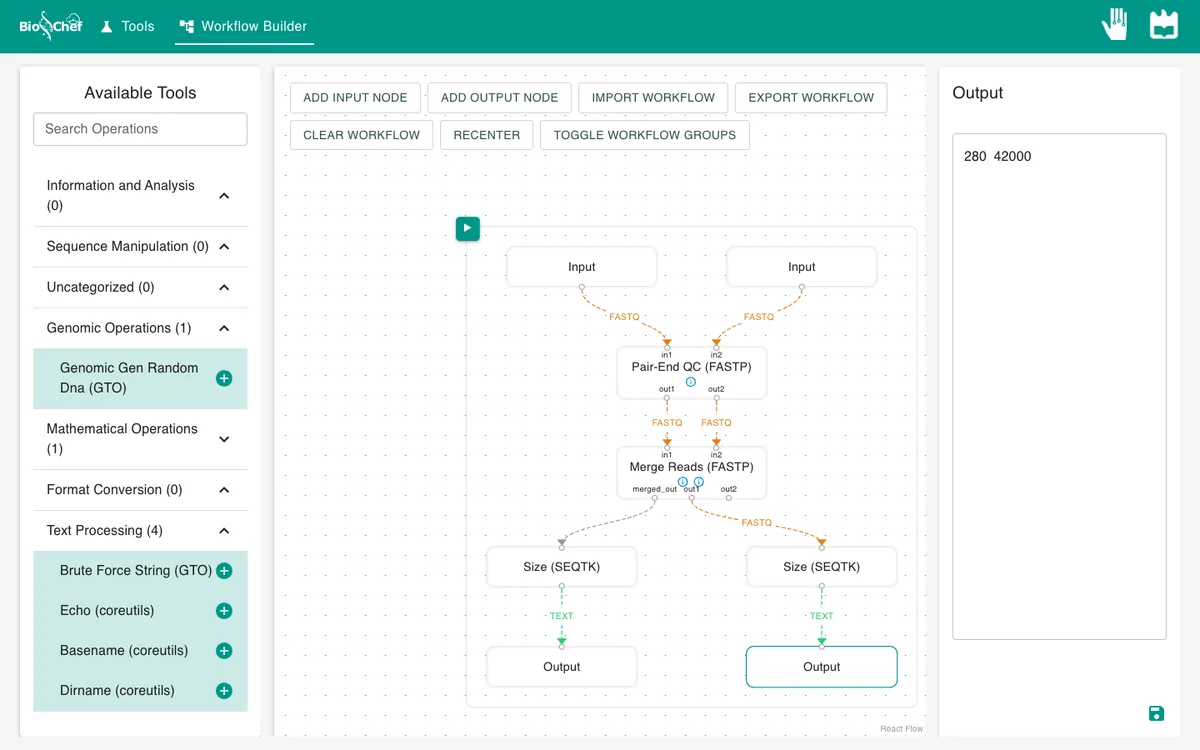
Add Size (SEQTK) after the merge’s merged_out, and a second one after its out1, the pairs that could not be merged. Give each an Output and press ▶.
- 05
Check the QC report
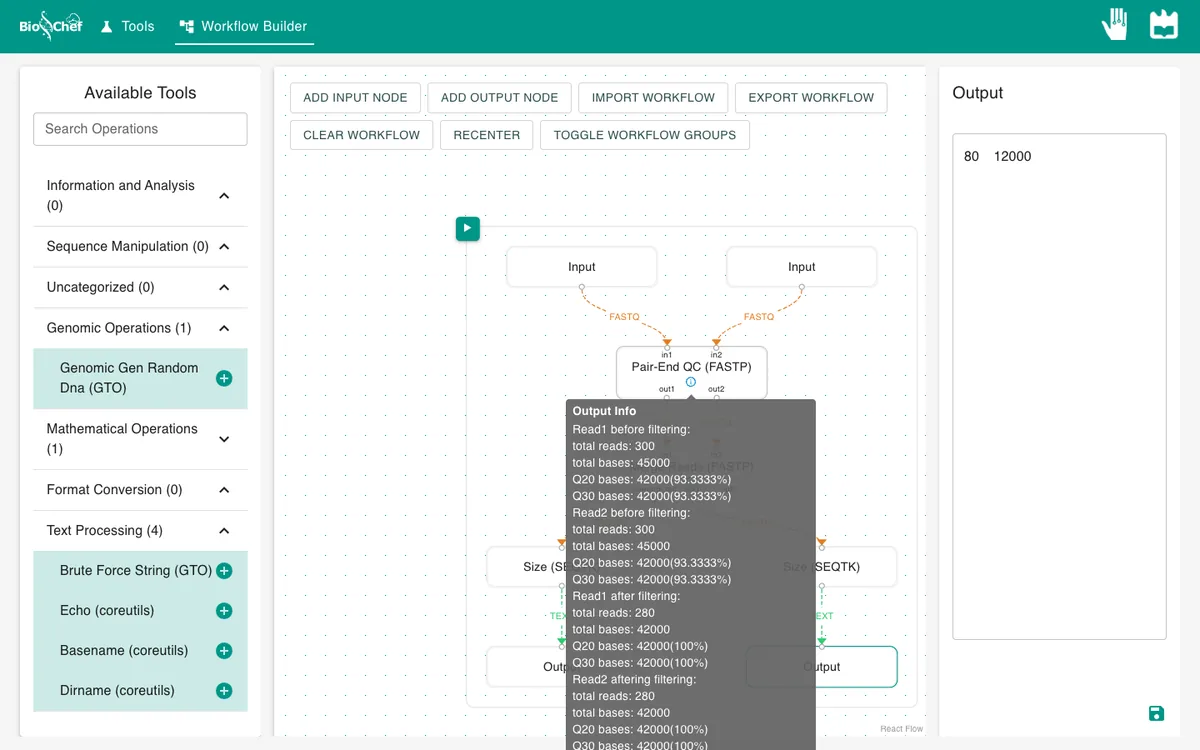
Hover the ⓘ on the QC node: it lists how many reads passed and why the others failed.
What you should see
merged:            200   50000
not merged (R1):    80   12000
QC drops the 20 low-quality pairs (40 reads), leaving 280 pairs. The 200 pairs from 250 bp fragments merge into 200 reads of exactly 250 bp (50,000 bases). The 80 pairs from 400 bp fragments do not overlap, so they stay as pairs.
Use the finished workflow
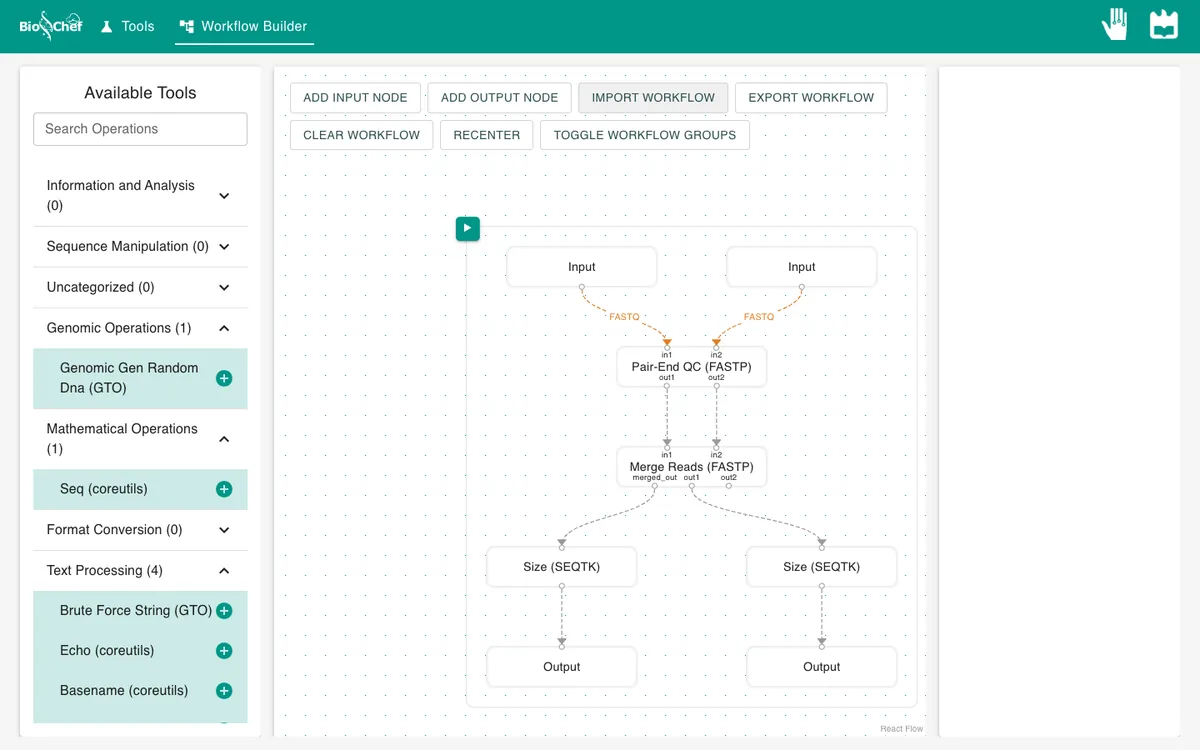
Import the finished workflow, data included, and press ▶. Remember that an exported workflow contains the data loaded in its Input nodes.
Exercise: ask for a longer overlap
On the merge node, switch on overlap_len_require and type 60. Run again. No pair merges now (0), and all 280 stay as pairs: their reads overlap by only 50 bases, less than the 60 you asked for.
From a test to a full run
The browser is the place to build and test a workflow on small data like this. For full datasets, the same workflow file is meant to run next to the data with the BioChef agent, which is in development. See Workflows for how the two fit together.
More tutorials: all BioChef tutorials.
This tutorial is licensed under CC BY 4.0. If you use BioChef in your work, please cite Rosa et al., BMC Bioinformatics 2026. BioChef is listed in bio.tools as biotools:biochef.