Tutorial
Find the genes in a genome
Predict the protein-coding genes of bacteriophage PhiX174 with Prodigal, then compare them with the official annotation. All in your browser.
What you will learn
- Predict protein-coding genes with Prodigal
- Read a tool’s error message and act on it
- Choose between single-genome and meta mode
- Compare predicted genes with a published annotation
The data
The genome of bacteriophage PhiX174 (NC_001422.1, 5,386 bp). NCBI annotates 11 genes in it, several of them overlapping, which makes it a good test for a gene finder.
Tools in this tutorial
- Prodigal
- Finds protein-coding genes in bacterial and phage genomes and writes their coordinates and protein sequences.
Watch it first
The whole tutorial in under 2 minutes, recorded in the live app. The run is sped up.
Steps
- 01
Load the genome
Open the Workflow Builder at biochef.app. In File manager, upload
phix174.fastaand tick it for the Input node. New to the editor? The map reads tutorial shows each move with screenshots. - 02
Add Prodigal
Search
prodigaland add Predict Genes (Prodigal); connect the Input to it. Prodigal has three outputs: the gene list (out), the proteins (proteins) and the gene sequences (nucleotides). Add an Output node to each.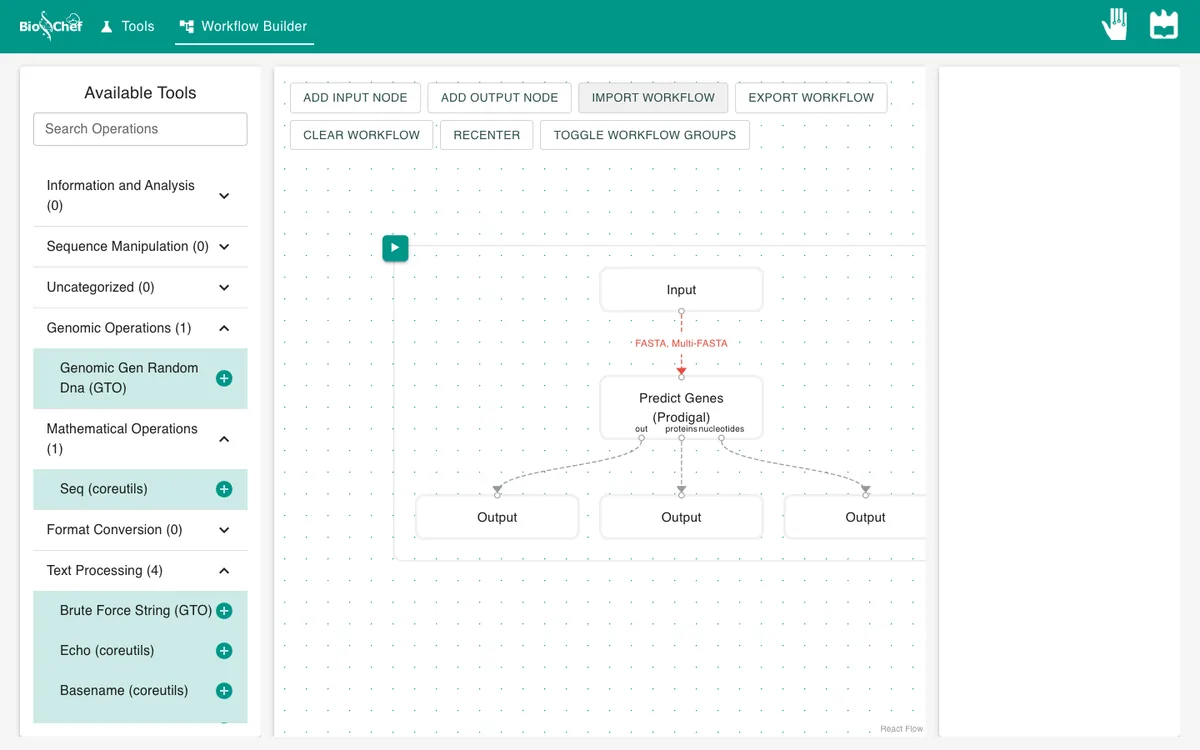
- 03
Run it and read the error
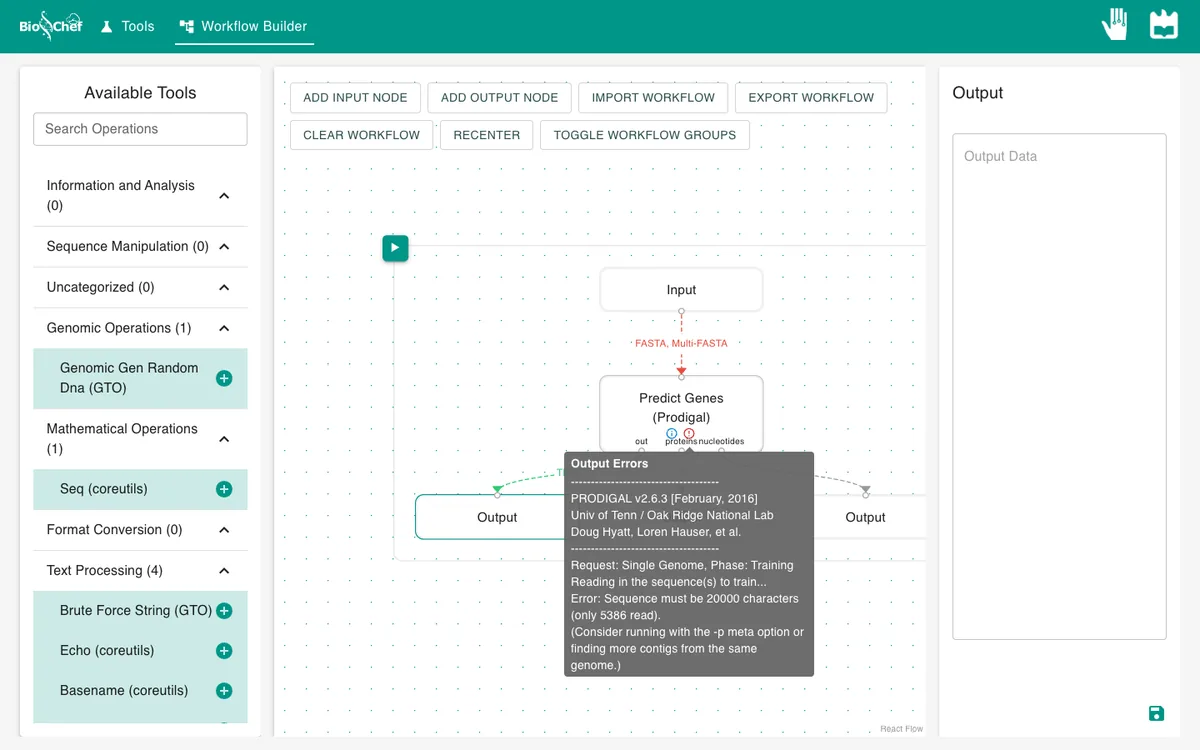
Press ▶. Nothing comes out. Hover the ⓘ on the Prodigal node: Sequence must be 20000 characters (only 5386 read). Consider running with the -p meta option. By default Prodigal learns the genome’s own gene patterns, and that needs at least 20 kb. PhiX174 is 5.4 kb.
- 04
Switch to meta mode
Click the Prodigal node, switch on mode and type
meta. In this mode Prodigal uses settings pre-trained on many genomes, which works for short sequences.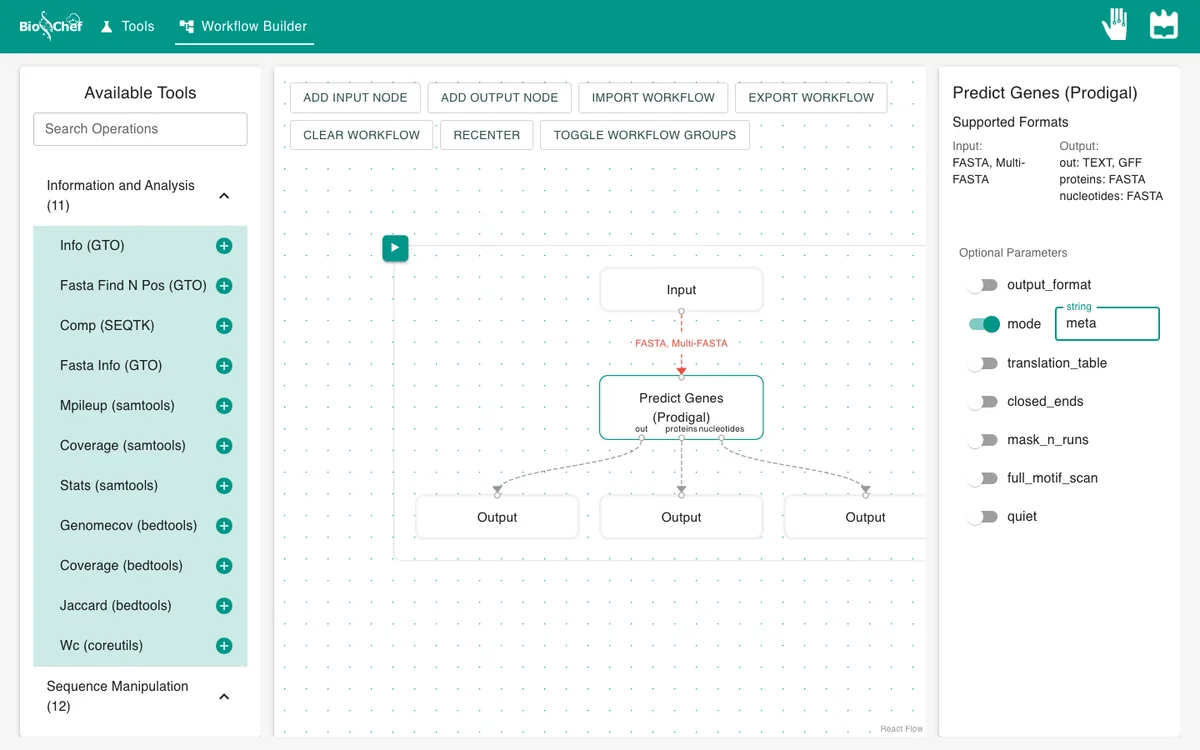
- 05
Run again and look at the genes
Press ▶ and click the first Output. Each
CDSentry is one predicted gene with its start and end positions, and a note with its start codon (start_type=ATG) and a confidence score.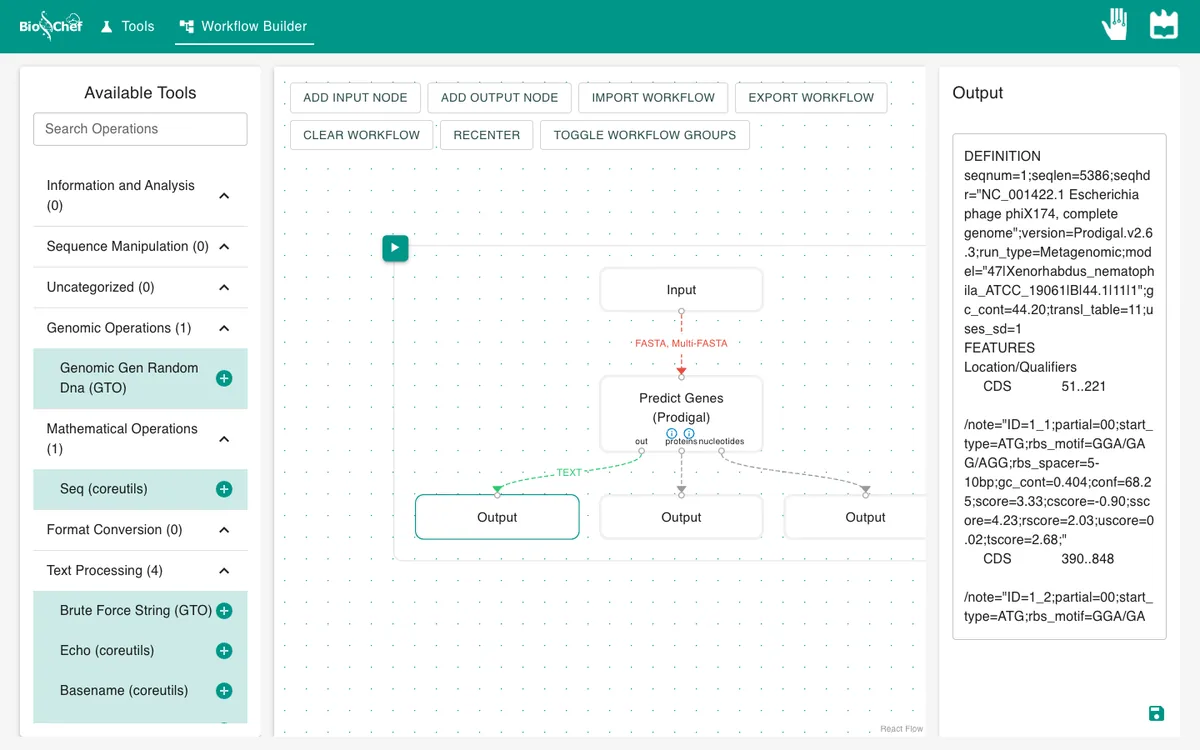
- 06
See the proteins
Click the second Output: the protein sequence of each gene, one letter per amino acid, with
*for the stop codon. The first, 56 amino acids long, is the K protein.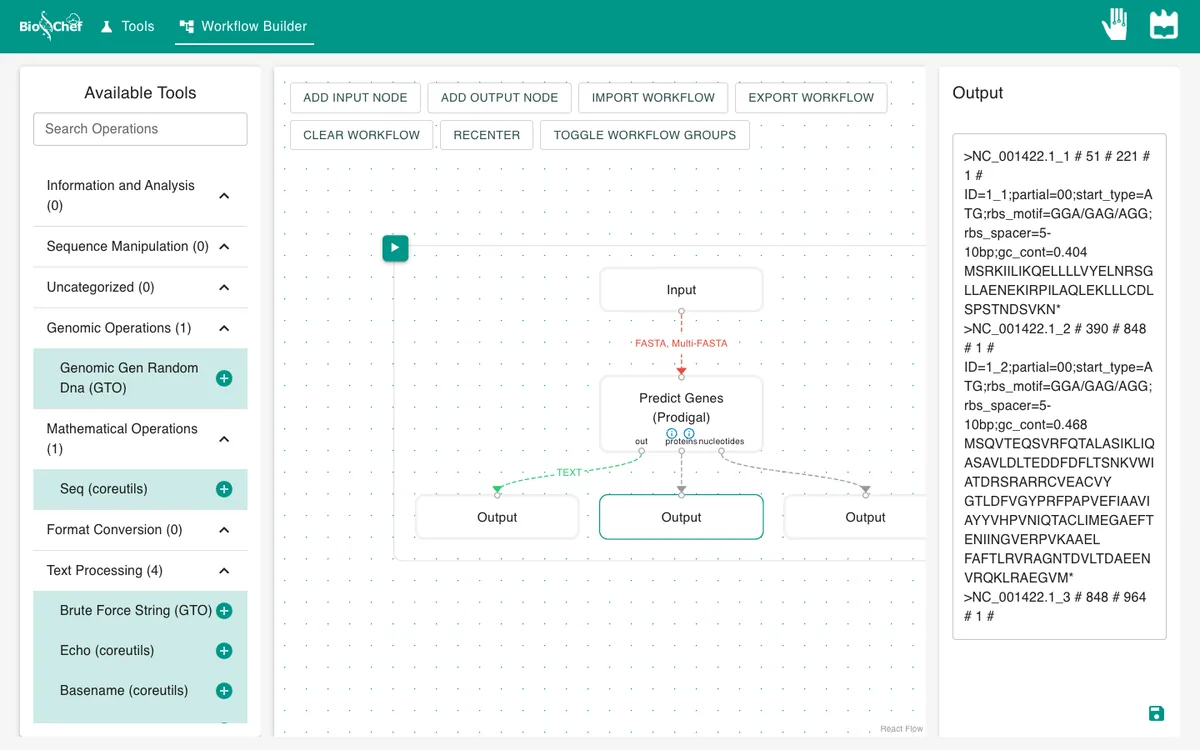
What you should see
CDS  51..221        K
CDS  390..848       D
CDS  848..964       J
CDS  1001..2284     F
CDS  2395..2922     G
CDS  2931..3917     H
CDS  3981..>5384    A (partial)
Prodigal finds 7 of the 11 annotated genes; gene names added here from the NCBI annotation. Six match it exactly. Gene A is marked partial (>5384): the genome is circular and A runs past the end back to the start, which a linear sequence cannot show. The four it misses (C, E, A* and B) lie inside or across other genes, a known limit of gene finders.
Use the finished workflow
Import the finished workflow, data and meta mode included, and press ▶. Remember that an exported workflow contains the data loaded in its Input nodes.
Exercise: get the genes as a GFF table
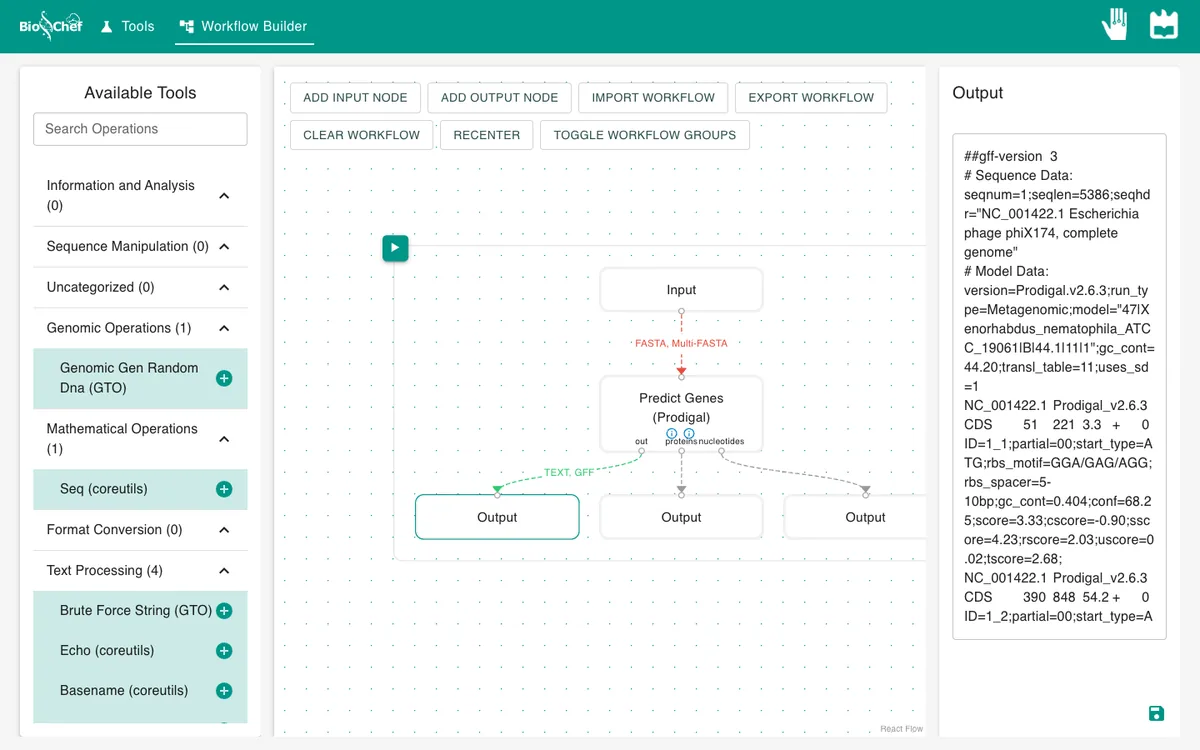
The gene list above is in GenBank format. On the Prodigal node, switch on output_format, type gff and run again. You get the same seven genes as GFF, one per line with tab-separated columns, the format that tools such as bedtools read.
From a test to a full run
The browser is the place to build and test a workflow on small data like this. For full datasets, the same workflow file is meant to run next to the data with the BioChef agent, which is in development. See Workflows for how the two fit together.
More tutorials: all BioChef tutorials.
This tutorial is licensed under CC BY 4.0. If you use BioChef in your work, please cite Rosa et al., BMC Bioinformatics 2026. BioChef is listed in bio.tools as biotools:biochef.