Tutorial
Amplicon sequencing of a virus
Trim primers, call variants and build a consensus from tiled amplicons with iVar, the approach used for SARS-CoV-2 genomic surveillance. All in your browser.
What you will learn
- Build a longer workflow with three inputs
- Trim primer sequences from amplicon reads
- Make a pileup and call variants with iVar
- Tell real variants from sequencing errors by frequency
The data
A simulated tiled-amplicon run over bacteriophage PhiX174 (NC_001422.1): 26 overlapping amplicons of 250 bp, 1,040 reads of 150 bp from both ends of each, a BED file with the 52 primers (22 bp each), and the reference. The sample carries six mutations at known positions (612, 1450, 2201, 3077, 3999, 4810), none of them under a primer.
Tools in this tutorial
- minimap2
- Aligns DNA sequences, from short reads to whole genomes, against a reference. It writes SAM for downstream tools or PAF, a plain table of where each sequence matches.
- samtools
- Works with alignment files (SAM, BAM): sorts them and reports mapping statistics, coverage and per-position read counts.
- iVar
- Tools for amplicon sequencing, as used for SARS-CoV-2: trims primers from aligned reads, then calls variants and a consensus from a pileup.
Watch it first
The whole tutorial in under 4 minutes, recorded in the live app. The run is sped up.
Steps
- 01
Load the three files
Open the Workflow Builder at biochef.app. In File manager, upload
amplicon-reads.fastq,phix174.fastaandphix-primers.bed, and tick the reads for the Input node. New to the editor? The map reads tutorial shows each move with screenshots. - 02
Map and sort
Add Align (minimap2) with the reads in reads and a second Input with
phix174.fastain ref, switch on sam_output, then add Sort (samtools). - 03
Trim the primers
Select Sort and add Trim Primers (ivar). Connect Sort to its in and a third Input with
phix-primers.bedto primers_bed. Primer bases come from the primer, not from the sample, so they must not count as evidence. Its log may say it could not retrieve index file: that is only a notice, and trimming still happens. - 04
Pile up the reads
Add a second Sort (samtools) after the trim, then Mpileup (samtools). On mpileup switch on count_anomalous, disable_BAQ, min_base_qual =
0and max_depth =0, settings taken from the iVar manual. A pileup lists, for each position, every read base that covers it.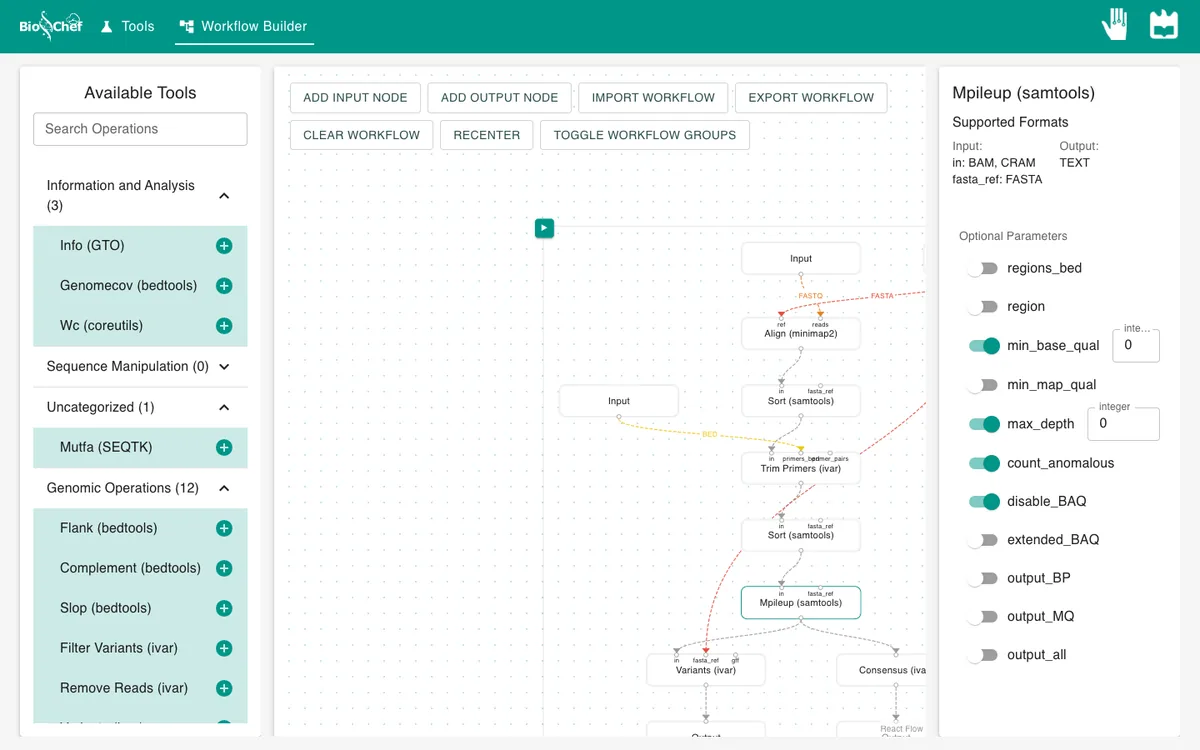
- 05
Call variants and the consensus
Select mpileup and add Variants (ivar), with the reference also into its fasta_ref. Select mpileup again and add Consensus (ivar). Give each an Output and press ▶.
- 06
Read the variants table
Each row is a position where some reads differ from the reference:
ALT_FREQis the share of reads with the alternative base andPASSsays whether iVar’s statistical test accepts it.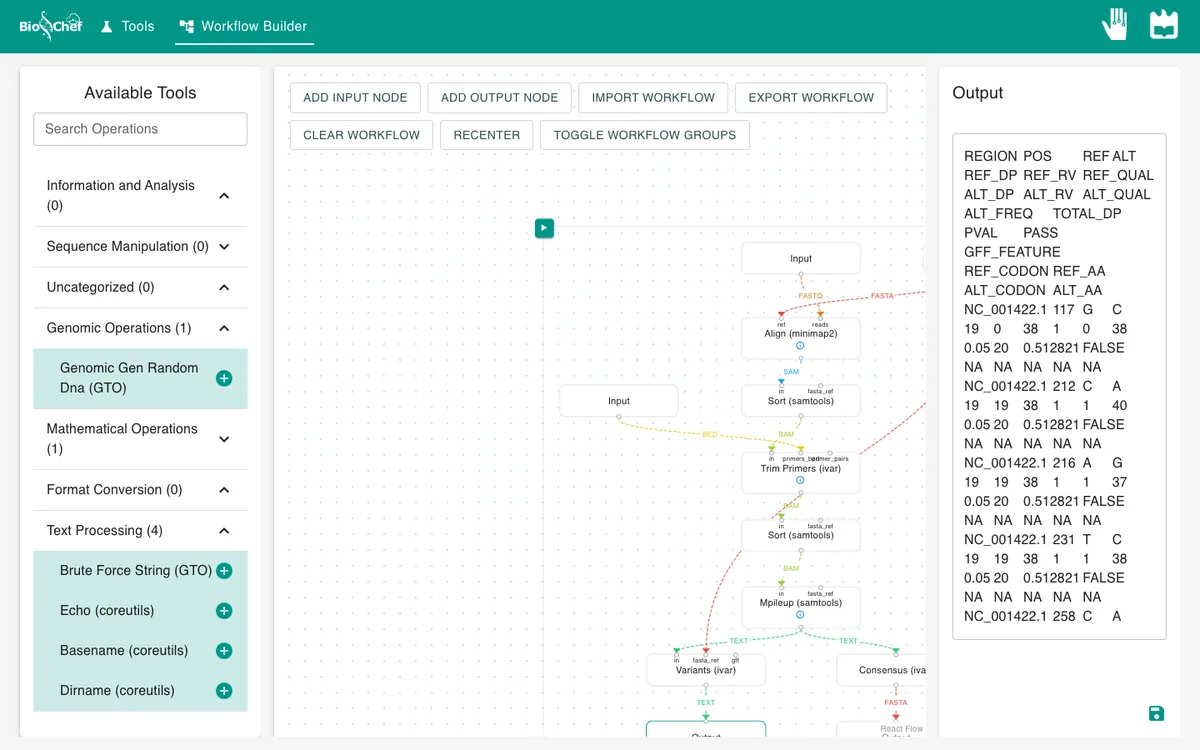
What you should see
POS   REF ALT ALT_DP ALT_FREQ TOTAL_DP PASS
612   G   A   20     1        20       TRUE
1450  T   C   20     1        20       TRUE
2201  T   C   20     1        20       TRUE
3077  T   C   40     1        40       TRUE
3999  C   T   19     0.95     20       TRUE
4810  G   A   20     1        20       TRUE
The table has 167 rows, but only six have PASS = TRUE: exactly the six mutations in the sample, seen in all or nearly all reads. The other 161 rows are single sequencing errors at 5% frequency (1 read in 20). The consensus starts at position 73, right after the first primer (51–72), and ends at 5278, right before the last one (5279–5300): the primers were trimmed.
Why 3077 has twice the depth
Amplicons overlap by 50 bp so that no position is left out. Position 3077 falls in such an overlap, so reads from two amplicons cover it: depth 40 instead of 20.
Use the finished workflow
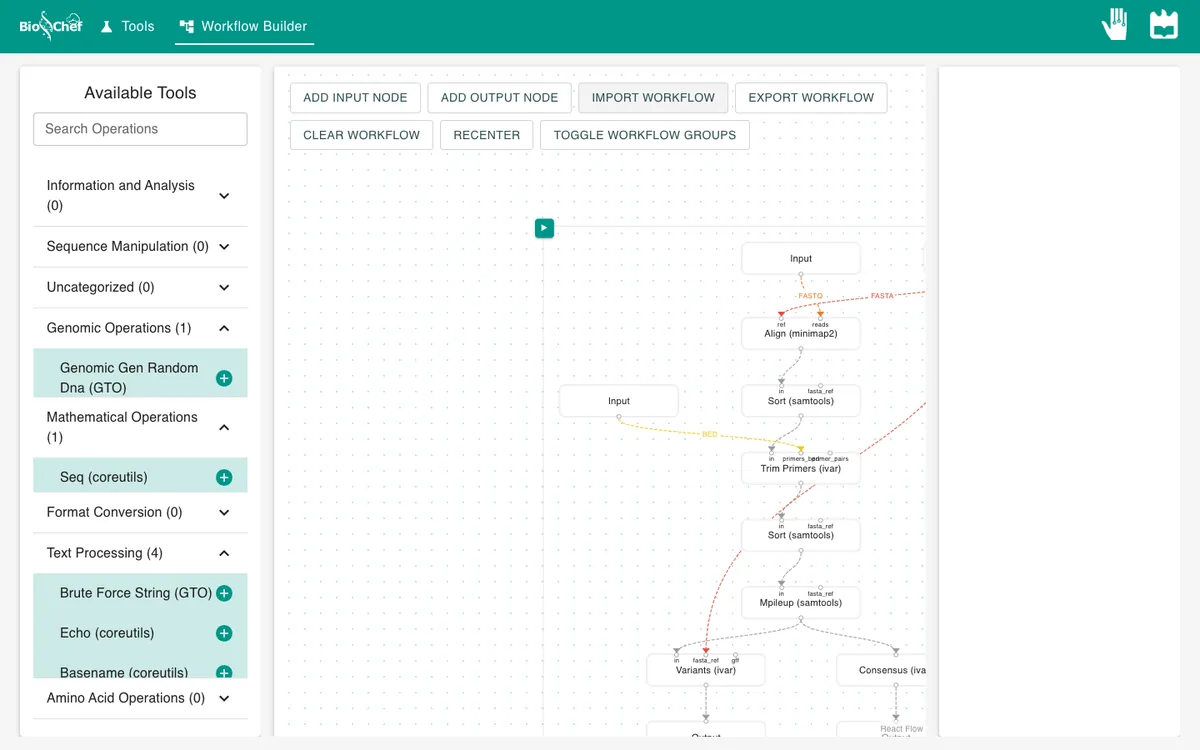
Import the finished workflow, data included, and press ▶. Remember that an exported workflow contains the data loaded in its Input nodes.
Exercise: report only real variants
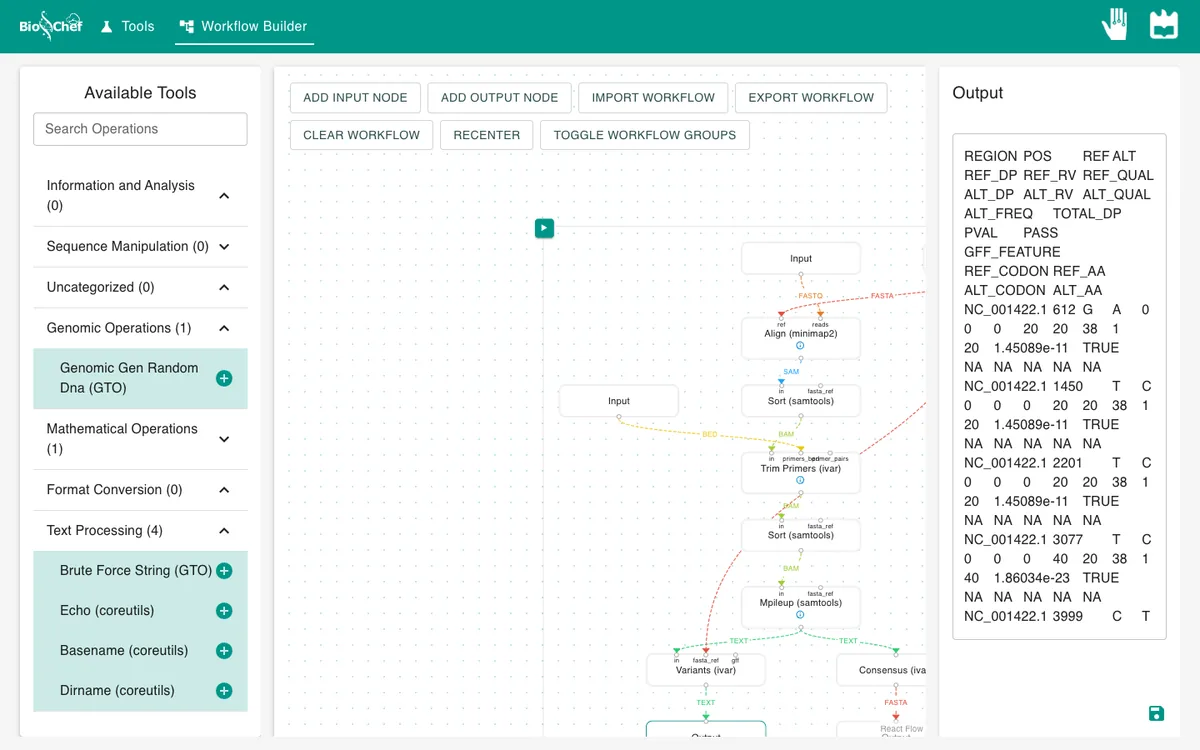
On Variants (ivar), switch on min_freq_threshold and type 0.5: report a variant only if at least half of the reads carry it. Run again. The table shrinks from 167 rows to the 6 real mutations.
From a test to a full run
The browser is the place to build and test a workflow on small data like this. For full datasets, the same workflow file is meant to run next to the data with the BioChef agent, which is in development. See Workflows for how the two fit together.
More tutorials: all BioChef tutorials.
This tutorial is licensed under CC BY 4.0. If you use BioChef in your work, please cite Rosa et al., BMC Bioinformatics 2026. BioChef is listed in bio.tools as biotools:biochef.